
5F, W2, Chengxin Building , Tian An Shen Chuang Valley Industrial Center, Fenggang Town, Dongguan City, Guangdong Province,China 523681
Views: 0 Author: Site Editor Publish Time: 2026-07-15 Origin: Site


Upgrading network infrastructure often strands functional, high-value, non-PoE edge devices far from AC power outlets. You might have access control panels, Wi-Fi routers, or AV matrix controllers sitting perfectly where they belong. But powering them reliably quickly becomes a serious headache.
Running dedicated electrical lines to the edge remains cost-prohibitive for most projects. On the flip side, stepping down power using cheap passive splitters risks catastrophic equipment damage and severe bandwidth throttling. This dilemma forces a tough choice between expensive electrical work and sketchy network performance.
A Gigabit POE Splitter bridges this gap flawlessly. It safely separates unified Power over Ethernet signals into distinct high-speed data streams and stepped-down DC power outputs. This clever hardware ensures legacy devices receive exactly the safe voltage they need to operate.
This guide provides a technical framework for evaluating, sizing, and deploying these specific splitters. You will learn how to integrate them without compromising network speed, device safety, or system reliability. Let us dive directly into the core mechanics of remote power distribution.
Protocol Protection: Standardized (Active) PoE splitters utilize IEEE 802.3af/at/bt handshake protocols to verify power requirements, preventing device burnout.
Bandwidth Integrity: Deploying a Gigabit PoE Splitter ensures data rates aren't bottlenecked to 10/100Mbps—a critical requirement for modern APs and IP cameras.
Power Realities: Factor in line loss; a 30W PoE+ switch port typically yields a maximum of ~24W to 25.5W at the splitter’s output.
Connector Compatibility: Matching DC barrel dimensions (e.g., 2.1mm vs. 1.35mm) is as crucial as matching voltage outputs.
Network engineers must frame the architecture properly before retrofitting legacy lines. Clarifying the exact position of your hardware in the network topology eliminates installation errors. You place a splitter at a very different location than an injector.
The PoE Injector plays a specific role at the source. It puts power onto the data line. You typically install it inside the server rack or network closet. This happens when the primary network switch lacks built-in PoE capabilities. The injector takes standard AC wall power, converts it, and sends unified power and data down a single Ethernet cable.
Conversely, a PoE Splitter handles the opposite task at the edge. It takes power off the data line right beside the endpoint device. Standard PoE voltages range from 44V to 57V. This high voltage would instantly destroy a standard router. The splitter safely steps down this high voltage to low-voltage DC like 5V, 9V, 12V, or 24V.
You can frequently combine both tools. It is completely safe to use an injector at the rack and a splitter at the endpoint. This creates a perfect bridge for legacy non-PoE network lines.
Core Differences: Injector vs. Splitter | ||
Feature | PoE Injector | PoE Splitter |
|---|---|---|
Network Position | Source (Switch side) | Edge (Device side) |
Core Function | Combines power and data | Separates power and data |
Voltage Action | Steps up to 44–57V | Steps down to 5V/12V/24V |
Target Device | Non-PoE Switch | Non-PoE Endpoint Device |
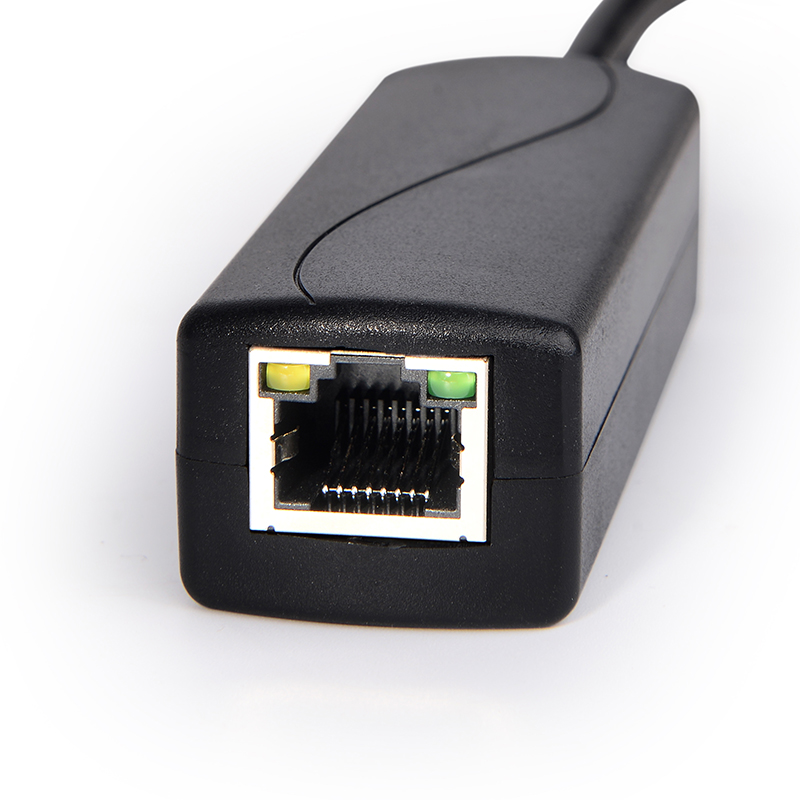
Choosing the wrong hardware can fry your expensive edge equipment. Evaluating splitters requires strict attention to physical and electrical specifications.
The burnout risk is incredibly real. Your splitter’s output voltage must match the target device exactly. If your access control panel demands 12V, a 24V splitter will cause permanent damage.
Furthermore, your splitter’s amperage must equal or exceed the maximum draw of the device. A 12V/2A device pulls 24 watts. Therefore, you must specify a splitter capable of handling at least 24 watts. The endpoint will only draw the current it needs, so excess amperage capacity remains safe.
Network designers often confuse Power Sourcing Equipment (PSE) ratings with Powered Device (PD) delivery. A network switch might output 30W per port based on the IEEE 802.3at standard. However, physical physics apply here. Cable resistance and step-down regulator inefficiencies consume energy.
Do not expect 30W of usable power at the edge from a 30W port. A typical 802.3at connection delivers approximately 24W to 25.5W of usable power at the splitter’s output. Always calculate your power budget using the PD delivery rating.
Avoiding the bandwidth bottleneck is crucial. Older splitters only utilize two twisted pairs for data, capping speeds at 100Mbps. You must confirm your splitter passes all four twisted pairs for true Gigabit transmission.
Market limitations currently exist for extreme high-speed networks. Finding high-voltage, high-wattage splitters supporting 2.5GbE or 10GbE for Wi-Fi 6/6E APs remains difficult. Never downgrade your entire network tier just to simplify power delivery.
Mismatched barrel jacks cause immense frustration during deployment. Devices utilize vastly different physical plug sizes.
Standard Security Cameras: Typically require a 5.5 x 2.1mm barrel jack.
Single-Board Computers: Devices like the Raspberry Pi often need Type-C or Micro-USB adapters.
Smart Home Hubs: Frequently utilize smaller 1.35mm barrel connections.
Always audit the physical jack size before purchasing. Many premium splitters include adapter kits to solve this exact problem.
Environmental conditions dictate hardware longevity. You must select the chassis and internal components based on where the unit will live.
Indoor office environments allow for commercial-grade equipment. These units usually feature plastic enclosures. They handle basic IP cameras, POS terminals, and low-voltage IoT devices perfectly well.
Many commercial models feature convenient DIP switches. These switches allow technicians to manually select the output voltage on the fly. A single unit can toggle between 5V, 9V, and 12V outputs. This flexibility reduces inventory overhead for IT departments managing diverse indoor hardware.
Industrial deployments demand ruggedized IEEE 802.3bt equipment. Factories, outdoor poles, and unconditioned warehouses destroy plastic commercial splitters. Industrial splitters utilize extruded aluminum housings to dissipate extreme heat.
These units survive extreme temperatures ranging from -40°C to +75°C. They also pass rigorous EN/IEC compliance tests for shock and vibration. You need this durability for power-hungry edge equipment. LED video walls, PTZ camera heaters, and telecom interfaces often require up to 90W (PoE++ / Ultra PoE).
Furthermore, industrial models abandon standard DC barrel plugs. Heavy vibrations can shake a barrel plug loose. Instead, they utilize industrial terminal blocks. These blocks provide secure, screw-down power connections ensuring zero physical disconnections over time.
Environmental Grade Summary Chart | ||
Feature | Commercial Grade | Industrial Grade |
|---|---|---|
Temperature Range | 0°C to 40°C | -40°C to +75°C |
Housing Material | Plastic or light metal | IP-30 Aluminum |
Power Connection | DC Barrel Plug | Secure Terminal Block |
Max Power Load | Typically 15W - 30W | Up to 90W (802.3bt) |
Even perfect specifications fail if installation practices ignore basic physical limitations. Network rollouts require strict adherence to standard guidelines to prevent systemic failures.
Standard Ethernet dictates a strict 100-meter (328-foot) limit. Pushing data beyond this length causes packet loss. For longer runs, your architecture must change. You must include a dedicated PoE Extender placed inline before the Gigabit PoE Splitter reaches the endpoint.
Cable metallurgy directly impacts safety. Never use copper-clad aluminum (CCA) cables for remote power. CCA cables present higher electrical resistance. High-power PoE standards, especially 802.3bt, push significant amperage. This high current hitting CCA resistance creates dangerous heat generation inside your walls.
Always demand pure copper Cat5e or Cat6 cables. Pure copper minimizes voltage drop and keeps cable bundles physically cool under heavy electrical loads.
High-wattage step-down conversion inherently generates waste heat.
Do not place the splitter inside tightly sealed, non-ventilated junction boxes.
Leave breathing room around the aluminum chassis for passive cooling.
Mandate the use of in-line surge protectors for any outdoor endpoint connections.
Ensure grounding wires attach properly to the chassis to protect the upstream network switch from lightning strikes.
Future maintenance relies on accurate topology maps. Non-standard power breakout cables look confusing to new technicians. You must label all injection and separation points clearly. Map every splitter location in your network management software. Proper labeling prevents a technician from accidentally plugging a standard laptop into a passive high-voltage line.
Gigabit PoE Splitters offer an indispensable method for standardizing network infrastructure. They extend the operational life of functional non-PoE edge devices without sacrificing data throughput. You achieve unified cabling while feeding precise DC power to complex endpoints.
Always prioritize strict voltage matching and IEEE standard compliance during your purchasing process. Active PoE equipment negotiates power safely, vastly outperforming cheap passive alternatives. Remember to verify the combined wattage requirement of your edge device. Leave a 10-15% buffer below the splitter’s maximum output to ensure long-term stability.
Your next step requires physical auditing. Walk your site and document the exact voltage, maximum amperage draw, and physical plug size of every non-PoE device. Do this before you purchase a single splitter or associated DC adapter. Clear audits guarantee successful, safe deployments.
A: Not if it is an Active PoE splitter complying with IEEE 802.3af/at/bt. It uses a hardware handshake to negotiate power and regulates the output voltage safely. Passive splitters, however, bypass this and carry severe risk if voltages are mismatched.
A: Generally, yes. Most high-quality active splitters can accept a passive 48V input and successfully step it down to the target voltage (e.g., 5V or 12V). Users must verify the specific input tolerance of the splitter beforehand.
A: The connection will automatically auto-negotiate down to the splitter’s hardware limit, which is 100Mbps. The endpoint device will power on successfully, but its data transmission speeds will be severely capped.
A: No. The 802.3at standard caps at 30W at the source, leaving approximately 25W usable at the edge. A 45W device explicitly requires an 802.3bt (PoE++) compliant injector or switch alongside a matching PoE++ splitter.


