
5F, W2, Chengxin Building , Tian An Shen Chuang Valley Industrial Center, Fenggang Town, Dongguan City, Guangdong Province,China 523681
Views: 0 Author: Site Editor Publish Time: 2026-07-01 Origin: Site


Integrating non-PoE legacy devices—such as IoT hubs, 24V access control panels, or 5V microcomputers—into a modern Power over Ethernet network presents a direct physical risk. Applying 48V to a standard Ethernet port will permanently fry the device's motherboard. Network administrators constantly face the hurdle of powering these sensitive endpoints safely. Running dedicated electrical lines is often impractical and ignores the centralized backup power potential of your main switch. A PoE Converter safely bridges this gap. It separates the incoming data and power streams, stepping down the voltage to match the endpoint's specific requirements. This guide breaks down the exact voltage, current, and connector specifications required. You will learn how to evaluate and select the correct hardware for secure, bottom-of-funnel deployment.
Safety via Handshakes: Active PoE converters utilize IEEE 802.3 signature detection protocols to verify power requirements, preventing catastrophic hardware damage associated with cheap passive adapters.
Voltage Step-Down: Standard PoE switches output 44–57V DC. Converters are necessary to step this down to 24V, 12V, or 5V depending on the endpoint.
Bandwidth Bottlenecks: Budget converters often cap data speeds at 10/100 Mbps. Gigabit-compliant converters are required for high-throughput devices like access points or modern IP cameras.
Budgeting: Successful deployment requires calculating the aggregate PoE power budget at the switch, factoring in the power loss over long cable runs due to resistance and heat.
Network architects must clearly define the directional flow of power to select the right hardware. We deploy a converter at the endpoint of the network run. The power flows from a primary switch, enters the converter, and separates into two cables feeding a non-PoE device. An injector performs the exact opposite function. It sits at the source of the network. Power flows from an electrical outlet into the injector, mixes with data from a standard switch, and travels outwards to a PoE-enabled endpoint.
Why should you utilize this specialized hardware instead of running a separate electrical line? The primary business case centers on low-voltage compliance. Running standard Ethernet cables bypasses stringent high-voltage building codes. You avoid hiring certified electricians for simple endpoint installations. Furthermore, routing power through a central network switch leverages your existing Uninterruptible Power Supply (UPS). If the building loses power, your legacy endpoints stay online alongside your core network infrastructure.
Hardware manufacturers frequently use terminology loosely across their datasheets. Spec sheets often treat "converter" and "splitter" as interchangeable terms. Regardless of the label printed on the box, you must evaluate them using identical technical criteria. Below is a quick comparison detailing these hardware roles.
Device Type | Placement Location | Primary Function | Typical Use Case |
|---|---|---|---|
PoE Converter / Splitter | Network Endpoint | Separates unified PoE into distinct data and DC power feeds. | Powering a legacy 12V IP camera from a modern PoE switch. |
PoE Injector | Network Source | Combines standard data with external AC power into one line. | Powering a modern Wi-Fi access point from an older, non-PoE switch. |
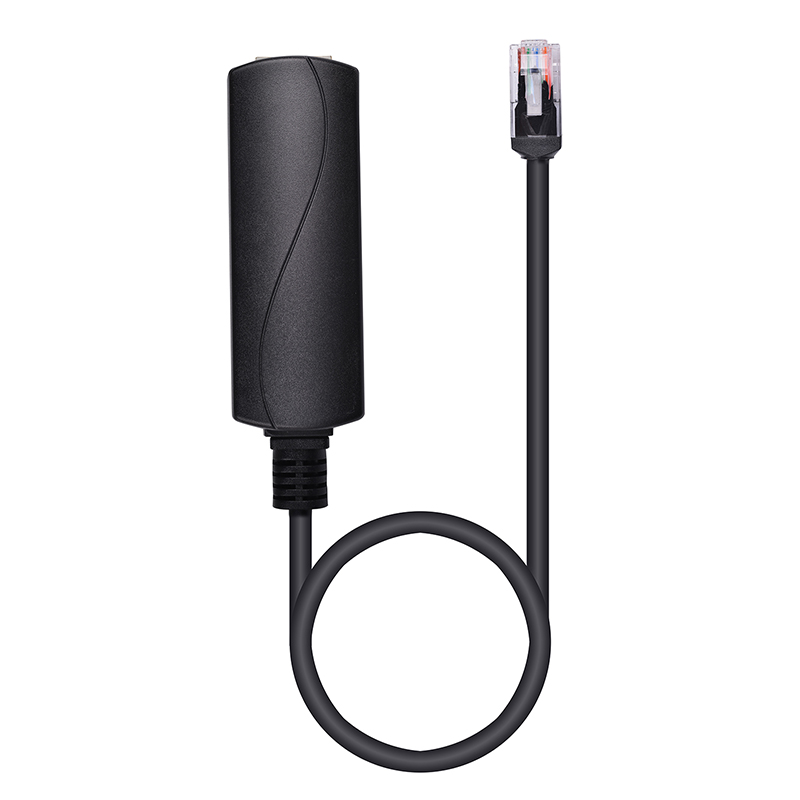
Passive network components present severe physical risks to your infrastructure. Passive injectors and splitters push continuous electrical current down the line. They bypass safety negotiation protocols entirely. Plugging a 24V or 48V passive feed into a standard network interface card (NIC) causes immediate hardware destruction. The continuous, unregulated current simply fries the receiving motherboard components.
Active standards, governed by IEEE 802.3af, 802.3at, and 802.3bt, prevent this damage through intelligent handshakes. The Power Sourcing Equipment tests the line before delivering any voltage. This critical safety check happens in three distinct steps:
Signature Detection: The switch sends a harmless, low-voltage pulse down the Ethernet cable. It actively searches for a specific 25k-ohm resistor built into the endpoint device.
Power Classification: Once detected, the switch determines exactly how much wattage the endpoint requires based on its class rating.
Voltage Transmission: Only after a successful hardware handshake does the switch release the full operating voltage. If you plug a laptop directly into an active port, the switch detects no resistor and safely sends only data.
Engineers must clearly understand the difference between "compliant" and "compatible" hardware specifications. True compliant converters support multiple pinout architectures. Mode A transmits power over data pins 1, 2, 3, and 6. Mode B utilizes the spare pins 4, 5, 7, and 8. A fully compliant device accepts both modes seamlessly. Compatible devices often support only Mode B. This severely limits your deployment options and causes unexplainable power failures if your primary switch uses Mode A pinouts.
We recommend adopting a strict best practice for critical network environments. Even with active PoE protection mechanisms in place, you should manually disable power delivery on critical switch uplinks. Ports connecting your switch to expensive firewalls, core servers, or primary routers do not need power. Disabling the feature locally via the management dashboard eliminates any catastrophic risk of protocol failure.
Power over Ethernet standardizes power delivery at approximately 48V DC. The actual voltage traversing the wire typically fluctuates between 44V and 57V. Cable distance, internal resistance, and specific IEEE standards influence this variance. You must step this high voltage down precisely to match your legacy endpoints.
Selecting the correct output voltage prevents instant device failure. You generally have three primary options for network endpoint conversion:
48V to 24V POE Converter: Essential for integrating legacy wireless routing gear. Industrial sensors, traditional alarm panels, and heavy-duty access control systems also rely heavily on 24-volt lines.
12V Output: This remains the undisputed industry standard for commercial hardware. Most legacy IP cameras, generic networking routers, and commercial display screens require exactly 12 volts to boot properly.
5V Output: Low-draw devices utilize this minimal voltage level. Smart home automation hubs, microcomputers like the Raspberry Pi, and basic environmental sensors operate safely on 5 volts.
Voltage levels must match your endpoint specification exactly. A 12V device receiving 24V will burn out instantly. However, amperage matching behaves completely differently. The converter's amperage rating can safely exceed the device's requirement. Endpoints only draw the physical current they actually need to operate. You should always verify power capacity using a simple formula: Output Wattage = Output Voltage × Output Amperage. Ensure your chosen converter's maximum output strictly exceeds the device's peak operational load.
Network bottlenecks frequently ruin otherwise successful enterprise deployments. A common installation error involves pairing expensive gigabit switches with modern devices using budget conversion hardware. A cheap PoE Splitter often caps internal data transmission at 10/100 Mbps. You must explicitly verify Gigabit (10/100/1000 Mbps) compatibility within the manufacturer's spec sheet. Guaranteeing gigabit throughput is mandatory for bandwidth-heavy endpoints like wireless access points or 4K security cameras.
Direct current (DC) barrel jacks suffer from extreme market fragmentation. Physical connector standardization simply does not exist across consumer electronics. The two most prominent barrel sizes are 5.5 x 2.1mm and 5.5 x 2.5mm. Visually, they look nearly identical to the naked eye. However, a millimeter mismatch prevents the power plug from seating correctly. Furthermore, you must verify connector polarity. Most devices require center-positive polarity, but audio equipment sometimes uses center-negative wiring. We strongly recommend sourcing converters bundled with multi-jack adapter kits to avoid post-purchase deployment delays.
USB integration represents another major evolution in power distribution. The rise of modern tablet-based point-of-sale (POS) systems demands new power solutions. Meeting room schedulers, digital signage frames, and smart displays rely entirely on USB power. Consequently, premium manufacturers now produce specialized converters featuring dedicated USB-C and Micro-USB output cables. These models streamline modern installations by eliminating bulky DC barrel adapters completely.
Many system administrators fundamentally misunderstand switch power budgets. High port counts do not automatically equal high power availability. For example, an 8-port switch might offer a 130W total internal budget. You cannot power eight 30W (802.3at) devices simultaneously on this hardware, as the math requires 240W. You must calculate the total aggregate endpoint consumption before deploying your infrastructure. Always factor in the inherent physical inefficiencies of the converter itself, which typically loses 10% to 15% of the power as heat during the step-down process.
Chart: Enterprise Switch Power Budget Analysis | ||
Device Factor | Calculated Draw | Impact on Switch Budget |
|---|---|---|
Endpoint Requirement | 25 Watts | Base calculation for a single port. |
Converter Inefficiency | ~3 Watts | Lost as heat during the 48V to 12V conversion step. |
Cable Resistance Loss | ~2 Watts | Lost over a 90-meter copper wire run. |
Total Port Allocation | 30 Watts | The actual deduction from the main switch budget. |
Copper resistance over long cable runs causes measurable voltage drops. Standard Ethernet cables cap their maximum effective distance at 100 meters. Approaching this physical limit increases electrical resistance significantly. Ambient heat generation inside the building exacerbates this drop. We strictly recommend deploying high-quality solid copper cabling for power delivery. Never deploy Copper Clad Aluminum (CCA) cables for these specific network links, as they suffer from terrible thermal resistance.
Thermal considerations become absolutely critical for high-power installations. Deploying modern IEEE 802.3bt hardware draws up to 90W per line. Bundling dozens of these high-power cables together generates massive heat inside enterprise conduits. To mitigate thermal overload and adhere to national electric codes, strictly utilize UL Limited Power (LP) certified cables. CMR-LP rated cables safely handle higher temperatures without degrading the internal data pairs.
Finally, device sleep states cause frustrating troubleshooting loops. Sometimes, sleeping endpoints disconnect unexpectedly from the network. High-quality active hardware solves this using a Maintenance Power Signature (MPS). The MPS sends a tiny, continuous electrical pulse back to the switch. It tricks the Power Sourcing Equipment into keeping the port fully active, even when your connected display screen enters a low-power sleep mode overnight.
Successfully integrating non-PoE endpoints into your network requires careful hardware selection. Blindly plugging legacy devices into active switch ports risks severe hardware damage and network downtime. You must treat power and data conversion as a precise engineering task.
Keep these action-oriented steps in mind during your next hardware refresh:
Audit Your Endpoints: Always verify the exact input voltage, required amperage, and physical barrel jack size of your legacy devices before purchasing conversion hardware.
Mandate Active Standards: Never purchase passive power equipment for enterprise deployments. Ensure your selected hardware utilizes active IEEE 802.3 standard negotiation.
Recalculate Power Budgets: Audit your primary switch's total power budget, factoring in cable resistance and conversion inefficiencies, rather than just counting the available ports.
Future-Proof with Gigabit: Always select gigabit-capable conversion equipment to prevent accidental 100 Mbps data bottlenecks.
By following these best practices, you protect your infrastructure while maximizing deployment flexibility. Consult standard product category pages or submit request-for-quote (RFQ) forms directly to manufacturers for large-scale enterprise sourcing.
A: Yes, provided the switch uses Active PoE (IEEE 802.3af/at/bt). The switch will test the device, realize it does not require power, and only send data. However, the device will still need a separate wall adapter for power. A converter is only needed if you want the network cable to act as the power source.
A: Only if you purchase a splitter rated for lower bandwidth (e.g., Fast Ethernet 10/100 Mbps). Ensure you purchase a Gigabit PoE splitter to maintain maximum network throughput and prevent localized data bottlenecks.
A: In enterprise networking hardware, these terms are largely synonymous. Both refer to a device that takes a unified PoE line and "splits" or "converts" it into separate data (RJ45) and power (DC barrel/USB) outputs for a non-PoE device.
A: The most common culprits are: (1) Total power budget exhaustion at the switch, (2) Voltage drop due to cable length exceeding 100 meters, or (3) Mismatched DC barrel jack polarity/size at the endpoint.


