
5F, W2, Chengxin Building , Tian An Shen Chuang Valley Industrial Center, Fenggang Town, Dongguan City, Guangdong Province,China 523681
Views: 0 Author: Site Editor Publish Time: 2026-09-30 Origin: Site


Network bottlenecks frequently stem from a highly overlooked component. Many engineering teams completely ignore their physical power delivery mechanisms. You might be throttling your throughput without even realizing it. Choosing the wrong POE Driver can severely limit your network speed. Conversely, you might waste valuable budget on unnecessary hardware capacity. Mismatched power equipment creates silent, persistent failures across commercial setups.
We will provide a clear, evidence-based evaluation framework below. You will learn how to properly choose between a Gigabit driver and a Megabit module. We base this comparison entirely on actual bandwidth realities and modern power standards. This guide will help you optimize your infrastructure confidently. You will finally stop guessing about your network hardware requirements.
Bandwidth Match: A Megabit POE Driver (10/100Mbps) is strictly for low-bandwidth endpoints like basic 1080p IP cameras and VoIP phones; Gigabit (1000Mbps) is mandatory for Wi-Fi 6 APs and 4K PTZ cameras.
Physical Limitations: Cheap Megabit drivers limit speed by monopolizing wire pairs for power. Gigabit models utilize "phantom power," sending data and electricity over all four pairs simultaneously.
Equipment Safety: Older Megabit drivers are frequently "passive" and lack IEEE handshake protocols, creating a severe risk of frying non-POE equipment.
TCO vs. CAPEX: While Megabit models offer upfront savings, deploying Gigabit drivers minimizes replacement costs during future network infrastructure upgrades.
Many IT buyers misunderstand how electricity travels across ethernet cables. You must understand basic pinout mechanics first. A network cable contains eight individual wires grouped into four pairs. How a driver utilizes these pairs dictates your maximum network speed.
A Megabit POE Driver separates data and electricity physically. It operates on two specific wire pairs for data transmission. These pairs utilize pins 1, 2, 3, and 6. The device strictly reserves the remaining two wire pairs for power delivery.
This physical separation introduces a harsh bottleneck reality. Suppose you install a legacy Megabit injector on a high-speed network. You physically force the entire link to downgrade. The endpoint and the switch will negotiate down to 100Mbps automatically. You cannot override this physical limitation through software. The data wires simply do not exist to carry gigabit traffic.
A Gigabit POE Driver solves this limitation elegantly. It utilizes an engineering concept called "phantom power". The module utilizes all four wire pairs for communication. All eight pins transmit high-speed data simultaneously.
The hardware uses complex internal circuitry. It superimposes direct electrical current onto the active data lines. It achieves this without causing signal degradation. DC power and high-frequency data signals occupy different electrical frequencies. Center-tapped transformers separate them at the endpoint. You will never experience data loss.
Network administrators often accidentally bottleneck high-end switches. They patch expensive hardware through legacy injectors. They wonder why their modern access points underperform continuously. The physical pinout limitation is almost always the culprit. Always verify your hardware capabilities during network upgrades.
Reusing old injectors during switch upgrades.
Assuming all power bricks support gigabit data rates.
Blaming the ISP for slow speeds caused by local injectors.
Driver Type | Data Pins Used | Power Pins Used | Maximum Speed |
|---|---|---|---|
Megabit Mode (Alternative B) | 1, 2, 3, 6 | 4, 5, 7, 8 | 100 Mbps |
Gigabit Mode (Phantom Power) | 1, 2, 3, 4, 5, 6, 7, 8 | 1, 2, 3, 4, 5, 6, 7, 8 (Superimposed) | 1000 Mbps |
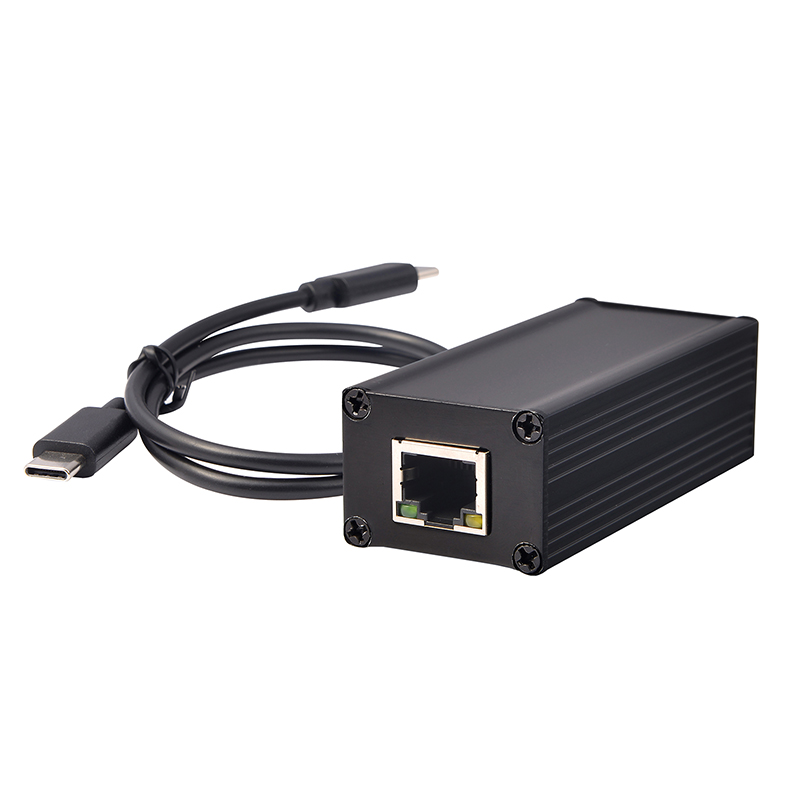
Let us challenge the "Gigabit Default" fallacy. Many hardware vendors claim every single device requires gigabit speeds. This assumption wastes commercial budgets daily. You must evaluate your actual endpoint requirements objectively.
Think of a Megabit driver as an urban road. It easily handles low-speed, consistent traffic. Standard 1080p security cameras rarely need massive bandwidth. Modern H.265 compression shrinks video files significantly. These cameras typically consume only 6 to 15 Mbps. Even during complex scenes, their peak usage stays well under 60 Mbps.
Other endpoints require even less data. Access control systems transmit tiny packets of authentication data. VoIP phones require very little bandwidth for crystal-clear audio. Basic IoT sensors send simple text logs periodically.
Verdict: Megabit remains highly cost-effective. You should use it for single-function legacy deployments.
Think of a Gigabit driver as a multi-lane highway. You need this massive capacity for heavy, concurrent traffic. High-density wireless access points demand gigabit speeds unconditionally. Wi-Fi 6 and Wi-Fi 6E models easily exceed 100Mbps wireless throughput. They require gigabit wired backhauls to function properly.
Modern surveillance networks also demand huge pipes. 4K and 8K PTZ (Pan-Tilt-Zoom) cameras require zero latency. They stream massive, uncompressed video files constantly. Digital signage networks download heavy multimedia assets continuously. Point-of-sale (POS) systems often aggregate store-wide data simultaneously. Daisy-chained network extensions funnel multiple remote devices through one single port.
If you deploy these advanced endpoints, gigabit hardware is absolutely mandatory.
You must prioritize hardware safety above all else. Older network equipment heavily utilizes passive technology. We must discuss the severe danger of passive power delivery.
Passive drivers force continuous voltage down the ethernet line. They usually output 24V or 48V constantly. They never check endpoint compatibility beforehand. This blind delivery creates a massive implementation risk for network engineers.
Imagine plugging a standard PC network card into a passive port. You might accidentally plug in an expensive enterprise server. The passive port pushes electricity blindly into the data pins. This action causes immediate electrical overloads. You will fry the equipment's internal transformers instantly. You literally risk seeing magic smoke escape your expensive hardware.
You must adopt standardized IEEE equipment instead. Modern gigabit drivers rely on 802.3af, 802.3at, and 802.3bt protocols. Standardized drivers feature a built-in negotiation handshake.
The power source queries the endpoint device first. It detects the specific power requirement automatically. It assigns a designated power class from Class 0 to Class 8. It performs all these checks before supplying a single watt. This Active POE completely eliminates accidental hardware damage.
We also see a strong power budget correlation here. Gigabit units are much more likely to support higher power tiers. They easily deliver PoE+ (30W) or PoE++ (60W/90W). You need these higher tiers for modern pan-tilt-zoom cameras and POS terminals.
Basic Megabit drivers often max out at the legacy 15.4W standard. They simply cannot drive modern, high-power endpoints. Active negotiation protects your investments while guaranteeing adequate electrical delivery.
Commercial deployments demand robust, rugged hardware. Standard indoor office equipment often fails in industrial environments. You must consider environmental ratings carefully.
Electromagnetic interference easily destroys data integrity. Industrial environments require fully shielded RJ45 jacks on all power drivers. Factory floors contain heavy machinery and large motorized conveyor belts. These large machines generate massive electromagnetic fields constantly.
Unshielded ethernet cables absorb this ambient interference like antennas. Shielding prevents static discharge (ESD) from damaging the internal circuitry. It completely prevents data corruption during long cable runs.
You should also evaluate software management capabilities. Enterprise networks require Simple Network Management Protocol (SNMP) support. Advanced drivers allow administrators to execute remote power-cycling easily.
You can easily reboot a frozen access point from another building. Management software also enables intelligent power scheduling. You can turn off endpoint power during nights and weekends automatically. This capability helps organizations meet their internal energy reduction goals effortlessly.
Ruggedization dictates physical deployment success completely. You cannot place standard indoor equipment outside. Evaluate IP ratings thoroughly before authorizing any deployment.
An IP67 rating ensures total protection against blowing dust. It also allows temporary water submersion. You strictly need this rating for outdoor surveillance poles. Consider IK ratings for external impact resistance. IK10 rated enclosures survive severe physical attacks and vandalism. You need high IK ratings for any deployments outside climate-controlled server rooms.
You need a reliable methodology for choosing equipment. Follow this decision framework to shortlist your ideal hardware efficiently.
You must document exact power and data needs first. Determine the specific wattage required by your target devices. Note whether they need a basic 15.4W or a robust 30W+. Check their peak bandwidth demands under maximum load.
Evaluate your budget priorities carefully. Are you optimizing purely for the lowest initial cost? Megabit options win the immediate capital expenditure battle. However, you should aim to extend the overall network lifecycle.
Gigabit hardware prevents expensive rip-and-replace scenarios later. You can easily gain three to five extra years of utility. You minimize future labor costs by installing higher capacity hardware today. Evaluate your infrastructure holistically.
You must mandate Active POE across your entire network. Make IEEE compliance a strict, non-negotiable purchasing requirement. This standard eliminates the severe liability of accidental hardware damage. You protect expensive endpoints from legacy passive modules forever.
Do not overhaul your entire network simultaneously. You should pilot the chosen driver first. Install it on a single critical link. Monitor its performance for one full week. Proceed with mass deployment only after a successful pilot test.
Deployment Scenario | Recommended Driver | Expected Power Level | Network Risk Level |
|---|---|---|---|
Basic 1080p Security Cameras | Megabit (10/100Mbps) | 15.4W (PoE) | Low |
Wi-Fi 6 Access Points | Gigabit (1000Mbps) | 30W+ (PoE+) | High |
Industrial Automation Sensors | Gigabit (Shielded) | Varies | Medium |
High-end 4K PTZ Surveillance | Gigabit (1000Mbps) | 60W+ (PoE++) | High |
Choosing the correct power delivery hardware dictates your ultimate network performance. We can summarize the optimal path forward using a few concise takeaways.
Megabit drivers still hold immense value for budget-conscious legacy monitoring.
Gigabit drivers remain the non-negotiable standard for modern commercial networks.
Active negotiation protocols prevent catastrophic hardware damage completely.
Always match your infrastructure lifecycle goals against your initial budget constraints.
Audit your current device consumption profiles immediately. Prioritize IEEE-standard gigabit hardware for all new installations. You will future-proof your infrastructure robustly. You will successfully protect expensive endpoint investments from electrical damage.
A: No. It only removes local network bottlenecks between the switch and the endpoint. It cannot exceed the speed provisioned by your ISP.
A: Yes, but the physical limitations of the Megabit driver's pinout will force the entire connection to downgrade to 100Mbps.
A: Yes. Passive POE sends continuous power without a negotiation protocol. Plugging a standard network device into a passive POE port carries a severe risk of hardware damage. Always look for 802.3af/at/bt compliant drivers.


