
5F, W2, Chengxin Building , Tian An Shen Chuang Valley Industrial Center, Fenggang Town, Dongguan City, Guangdong Province,China 523681
Views: 0 Author: Site Editor Publish Time: 2026-08-10 Origin: Site


Upgrading or expanding network endpoints often comes down to a choice. You must decide between utilizing existing cable infrastructure or running new lines. When powering non-PoE devices via Ethernet, selecting the right splitter is critical. IT administrators and prosumers face a clear trade-off daily. You can deploy a cost-effective Megabit POE Splitter for basic tasks. Alternatively, you might invest in a Gigabit POE Splitter to avoid network bottlenecks.
This guide breaks down the technical differences between these devices. We explore actual performance impacts and cost-to-value ratios. These insights help you choose the right hardware for your specific deployment. We cover endpoints like IP cameras, IoT sensors, and high-speed access points. By the end, you will understand exactly how to optimize your network architecture.
Bandwidth Ceilings: A Megabit POE Splitter mechanically limits throughput to 100 Mbps by utilizing only two twisted pairs (4 pins), whereas Gigabit splitters leverage all four pairs (8 pins) for 1000 Mbps speeds.
Application Alignment: Megabit splitters are generally sufficient for standard 1080p/4K security cameras, while Gigabit models are mandatory for high-bandwidth devices like Wi-Fi APs or thin clients.
Market Confusion: Many "1-to-2 PoE Splitters" sold online are actually micro-PoE switches; true splitters separate power and data rather than multiplexing a single connection into two.
Risk Mitigation: Selecting passive or improperly volted splitters can result in hardware damage or microsecond latency issues.
Network separation depends heavily on underlying Ethernet protocols. Megabit splitters rely entirely on older 10/100BASE-T standards. These legacy standards feature a distinct physical limitation. They require only two wire pairs for data transmission. Specifically, they use pins 1, 2, 3, and 6. This leaves two pairs completely unused for data.
A standard Megabit POE Splitter takes advantage of this physical layout. It strips power from the unused wire pairs. Alternatively, it merges power passively alongside the data pairs. This mechanical separation permanently caps the network link at 100 Mbps. Even if you connect it to a high-speed switch, the missing data pins force a bottleneck. The connection mathematically cannot exceed Fast Ethernet speeds.
High-speed networks follow a completely different architecture. The 1000BASE-T standard governs Gigabit Ethernet. This modern protocol demands all four twisted pairs for data transmission. Every single pin carries a data signal. You cannot simply steal two pairs for power without breaking the gigabit connection.
To solve this, a Gigabit POE Splitter utilizes sophisticated internal transformers. These components use a technique involving center taps. The transformers extract DC power directly from the active data lines. They perform this extraction seamlessly. As a result, the process never disrupts the high-frequency gigabit signals. You retain full 1000 Mbps speeds while safely stripping out the necessary voltage for your endpoint.
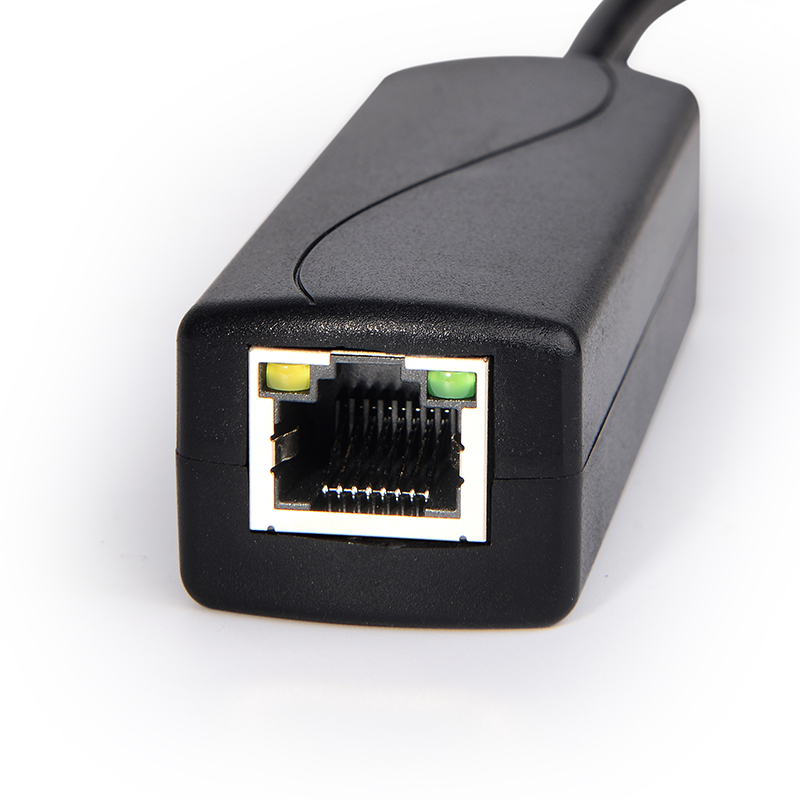
You must assess actual data requirements before purchasing hardware. Many devices require surprisingly little bandwidth. Consider a typical modern IP security camera. It usually needs less than 10 Mbps for stable 1080p video streaming. Even 4K cameras often peak around 15 to 20 Mbps. In these scenarios, a Megabit device handles the load perfectly. It does not impact system performance whatsoever.
However, other endpoints demand massive data pipelines. Point-of-Sale (POS) systems require instant database synchronization. Wi-Fi 6 access points handle gigabits of wireless traffic. Utilizing a Megabit splitter here introduces severe network choking. It essentially strangles your expensive wireless infrastructure.
Below is a quick reference chart mapping device bandwidth requirements:
Endpoint Device Type |
Typical Bandwidth Needs |
Recommended Splitter Type |
|---|---|---|
Basic IoT Sensors / Relays |
< 1 Mbps |
Megabit |
1080p/4K Security Cameras |
5 Mbps - 20 Mbps |
Megabit |
Thin Clients / Office PCs |
50 Mbps - 200 Mbps |
Gigabit |
Wi-Fi 5 / Wi-Fi 6 Access Points |
500 Mbps - 1000+ Mbps |
Gigabit |
Many network administrators overlook the hidden performance costs of cheap splitters. Subpar manufacturing introduces severe issues. Low-quality voltage regulators often cause electromagnetic interference (EMI). They can also introduce microsecond (µs) processing delays. These components struggle to cleanly separate the power wave from the data signal.
This microsecond latency remains largely imperceptible for standard video surveillance. Frame buffers easily absorb tiny delays. However, this interference proves highly detrimental in strict environments. Networks handling high-frequency trading fail under such jitter. Precision IoT industrial controls also crash when commands arrive out of sync. High-grade hardware ensures signal integrity remains intact.
Budget constraints often dictate network deployments. Comparing baseline hardware costs reveals a noticeable gap. Megabit splitters are highly commoditized. You can often find them priced between $10 and $15. Their simpler circuitry keeps manufacturing expenses low.
Conversely, reliable Gigabit models command a premium. Their complex transformers and active negotiation chips cost more to produce. These units typically range from $25 to $45. The exact price depends heavily on the supported power standard, such as IEEE 802.3at or 802.3bt. For a single device, a $20 difference seems negligible. Across a 50-camera deployment, the initial savings look tempting.
You must analyze the hidden costs of cheap infrastructure. Deploying lower-tier splitters across an enterprise limits every single wall drop to 100 Mbps. Your physical cabling might support 1000 Mbps. However, the hardware endpoints artificially cap the entire infrastructure.
Eventually, end-devices get upgraded. You might replace old cameras with multi-sensor panoramic arrays. At that point, the legacy splitters fail to support the new bandwidth. IT teams must physically locate and replace every hidden unit. The extensive labor cost to unmount devices and swap hardware destroys any initial savings. Buying Gigabit models from the start effectively future-proofs your wall drops.
Understanding power delivery protocols prevents catastrophic hardware failures. The market categorizes PoE into active and passive models. You must recognize the dangers of passive PoE Splitter equipment. These units hardcode specific voltages, such as 12V, 24V, or 48V. They operate strictly on Mode B configurations. Passive units force power down the line without any auto-negotiation. If your endpoint expects 12V but receives 48V, it will immediately burn out.
We strongly advocate for Active PoE splitters. Active hardware complies with strict IEEE 802.3af/at/bt standards. These devices perform complex handshake protocols with the Power Sourcing Equipment (PSE). The splitter verifies the exact voltage required by the Powered Device (PD). This intelligent negotiation ensures safe, targeted power delivery every single time.
Physical cable lengths dramatically affect power stability. Ethernet standards allow runs up to 100 meters (328 feet). However, voltage drops naturally occur over long distances. Resistance in copper wiring slowly degrades the power signal.
A cheap Megabit POE Splitter often fails under these conditions. It struggles to deliver a stable 12V or 5V DC output if the upstream cable approaches maximum limits.
To avoid intermittent device reboots, follow these practices:
Use solid copper Ethernet cables rather than copper-clad aluminum (CCA).
Ensure your switch outputs enough wattage to account for cable resistance.
Install splitters specifically rated for wide-voltage inputs (e.g., 36V-57V) to handle fluctuations smoothly.
Always match the splitter's DC barrel jack size precisely to the endpoint device.
E-commerce marketplaces confuse consumers with terrible product naming conventions. Vendors frequently label 2-port Gigabit PoE Extenders or Micro-Switches as "1-to-2 Splitters." This mislabeling causes massive deployment headaches.
You must understand the distinct functional differences. A physical "Y-cable" splitter strictly divides a single cable's physical pins. It mechanically breaks the connection. In contrast, a true network switch dynamically manages traffic. A switch actively reads MAC addresses and routes data packets efficiently. If you buy a passive Y-cable expecting a network switch, your devices will collide and drop off the network.
Making the right hardware choice requires mapping your exact use case. Review the following framework before purchasing.
Choose a Megabit POE Splitter if: You are deploying low-bandwidth, low-cost legacy devices. Common examples include IoT relays or basic IP cams. You strictly need to separate power and data for a single non-PoE endpoint.
Choose a Gigabit POE Splitter if: The endpoint is a high-bandwidth non-PoE device operating on a gigabit backbone. Mini-PCs, router boards, and specialized digital signage displays require this full-speed separation.
Choose a PoE Switch instead if: You need to connect multiple devices to a single wall drop. A switch expands your port count without artificially capping the upstream link speed.
Feature |
Splitter (Megabit/Gigabit) |
Micro-PoE Switch |
|---|---|---|
Primary Function |
Separates power and data for 1 non-PoE device |
Connects multiple devices to 1 upstream link |
Port Expansion |
No (1 in, 1 out) |
Yes (1 in, multiple out) |
Data Processing |
Passive or transformer-based pass-through |
Active packet switching |
Cost Range |
$10 - $45 |
$30 - $100+ |
Choosing network hardware directly impacts your system reliability. A Megabit POE Splitter serves as a utilitarian, budget-friendly fix for low-bandwidth endpoints. It handles standard security cameras and basic sensors effortlessly. However, a Gigabit POE Splitter is strictly required to maintain the integrity of modern, high-speed network topologies. It preserves full bandwidth for demanding applications like Wi-Fi access points.
We encourage network administrators to audit the bandwidth requirements of their Powered Devices thoroughly. Verify IEEE 802.3 compliance before approving any bulk hardware purchases. Investing in the right PoE Splitter today eliminates costly troubleshooting tomorrow. Map your infrastructure needs clearly, and upgrade your endpoints with confidence.
A: No, it only caps the speed of the specific cable run and endpoint device connected to the splitter at 100 Mbps. The rest of the network remains unaffected.
A: Yes. Gigabit splitters are backward compatible and will simply operate at 100 Mbps while cleanly separating the power and data.
A: Basic physical splitters (Y-cables) steal pairs of wires to create two connections. Since Gigabit requires all 4 pairs (8 wires) to function, dividing the cable mathematically forces the connection to default to the 100BASE-T standard.


