
English 
5F, W2, Chengxin Building , Tian An Shen Chuang Valley Industrial Center, Fenggang Town, Dongguan City, Guangdong Province,China 523681
Views: 0 Author: Site Editor Publish Time: 2026-08-31 Origin: Site


Network engineers and IT installers face a stubborn physics problem when connecting devices outside. Standard Ethernet wire naturally caps data and power transmission at exactly 100 meters (328 feet). Extending network connectivity to outdoor security cameras, remote access points, and modern IoT sensors historically required complex workarounds. You might trench new electrical lines or deploy expensive fiber optic runs to bridge the distance. These traditional methods severely inflate deployment budgets and stretch project timelines. Fortunately, an inline extension device solves this exact issue efficiently. A high-quality POE Extender instantly overcomes these physical distance limitations. It bridges the structural gap without requiring localized power sources or complex infrastructure overhauls. This guide provides a comprehensive technical evaluation framework. We will explore how to ensure reliable uptime, verify adequate power delivery, and maximize hardware longevity in harsh external environments. Read on to master outdoor extension strategies today.
Standard Ethernet is limited to 100 meters; a specialized outdoor POE extender can daisy-chain connections up to 500 meters or more, depending on power draw.
Not all weatherproofing is equal: IP67 ratings, hardened enclosures, and integrated surge protection are non-negotiable for external deployments.
Total power budget calculations must account for voltage drop across the entire run of the PoE cable.
Evaluating the right infrastructure requires distinguishing between extenders, external switches, and PoE splitters based on the endpoint's specific power and data needs.
Copper twisted-pair cables suffer from natural signal attenuation. As electrical data pulses travel further down the wire, they gradually lose strength. Power also degrades simultaneously due to inherent electrical resistance inside the copper strands. Once you cross the standard 100-meter threshold, signal integrity plummets drastically. Devices begin to lose network packets, drop their active connections, or fail to power on entirely. You must implement active signal regeneration to push past this barrier.
Deploying an inline extender offers significant cost benefits for most organizations. You avoid the heavy labor of trenching high-voltage electrical lines to remote light poles. You also skip the physical complexity of running delicate fiber optics alongside separate media converters. Extenders regenerate both the data signal and the DC power supply inline. They use the existing switch power to boost the signal for the next leg of the journey. This eliminates the need for mid-span power injectors positioned in hard-to-reach outdoor locations.
What does a genuinely successful extension deployment look like? You want zero packet loss under heavy network load. The endpoint device must receive sufficient operating wattage continuously. Most importantly, the installed unit must endure heavy rain, freezing snow, and extreme ambient temperatures without experiencing weather-related hardware failures. Achieving these success criteria requires careful hardware selection.
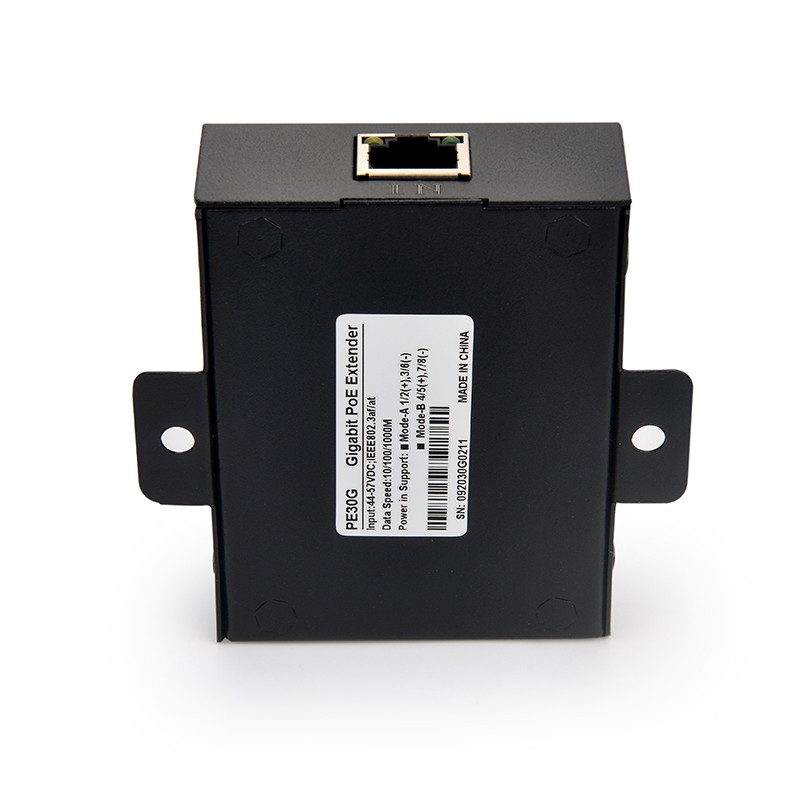
When installing network gear outside, basic weather resistance is wholly insufficient. Generic marketing claims often mask inadequate environmental protection. You need strict, verifiable environmental ratings to prevent rapid equipment failure. Look exclusively for official IP67 or IP68 certifications. These stringent ratings guarantee complete enclosure protection against microscopic dust ingress and total temporary water immersion. Your hardware must also survive harsh seasonal climate fluctuations. Check the manufacturer operating temperature range. High-grade industrial extenders typically operate flawlessly between -40°C and 75°C. This wide thermal threshold prevents sudden freezing failures in deep winter or overheating shutdowns during peak summer sun exposure.
Lightning and electrostatic discharge (ESD) pose severe operational risks to any exterior networking equipment. A nearby lightning strike easily induces massive voltage spikes in the copper lines. Without robust built-in surge protection, this volatile energy travels rapidly down the wire. It destroys expensive downstream cameras and completely fries your core upstream switches. Always specify exterior hardware featuring integrated 6kV or higher surge and ESD defenses. This feature acts as a sacrificial barrier for your broader network infrastructure.
Enclosure materials directly dictate long-term installation stability. UV-resistant polycarbonate housings work quite well for standard commercial applications. They resist sun degradation effectively over many years. However, heavy-duty industrial sites or vandal-prone areas often require rugged cast aluminum enclosures. These metal housings offer maximum physical impact resistance. Finally, assess the available mounting options. Pole-mount kits allow secure attachment to existing street lighting fixtures. Wall-mount flanges help secure units tightly to flat exterior building walls to prevent wind sway.
IP Rating | Dust Protection Level | Moisture Protection Level | Recommended for Outdoor Network Runs? |
|---|---|---|---|
IP65 | Complete protection | Low-pressure water jets from any angle | Marginal (Only use under covered eaves) |
IP66 | Complete protection | High-pressure water jets and heavy seas | Yes (Suitable for standard weather) |
IP67 | Complete protection | Temporary total immersion (up to 1m depth) | Yes (Highly recommended for direct exposure) |
IP68 | Complete protection | Continuous total immersion under pressure | Yes (Best for extreme flood-prone zones) |
Hardware compatibility relies heavily on matching official IEEE network standards. You must perfectly align your upstream switch capabilities, the inline extender specifications, and the downstream endpoint requirements. The 802.3af (PoE) standard delivers up to 15.4W of power. This is usually suitable for basic, fixed-lens IP cameras or small sensors. The 802.3at (PoE+) standard provides up to 30W. You need this level for dual-band WiFi access points or motorized cameras. The newest 802.3bt (PoE++) standard supplies up to 60W or even 90W. You absolutely need PoE++ when driving complex Pan-Tilt-Zoom (PTZ) exterior cameras. These advanced cameras contain internal physical heaters and heavy IR illumination arrays that draw massive wattage during winter nights.
Understanding the reality of voltage drop ensures stable long-distance power delivery. Physical cable distance actively reduces your available wattage. As electricity travels through the PoE Cable, inherent copper resistance consumes raw power. A central switch injecting exactly 30W will not deliver 30W to an endpoint located 200 meters away. You must calculate the realistic power delivery drop rather than relying blindly on theoretical maximum outputs. Always build a 10% to 15% safety buffer into your final power calculations.
Total Distance | Required Inline Devices | Estimated Delivered Power at Endpoint |
|---|---|---|
100 Meters | 0 (Direct Switch Connection) | ~25.5 Watts |
200 Meters | 1 Inline Extender | ~20.0 Watts |
300 Meters | 2 Daisy-Chained Extenders | ~14.5 Watts |
Bandwidth requirements dictate your specific network interface speed. Not every remote device actually needs maximum gigabit throughput. Basic 10/100 Fast Ethernet extenders handle single 4K IP security cameras effortlessly. Modern compressed video streams rarely exceed 15 Mbps of constant traffic. Conversely, Gigabit extenders are absolutely necessary for high-throughput applications. You need gigabit speeds for busy outdoor WiFi access points, multi-sensor IoT arrays, or high-density camera hubs. Match your selected bandwidth capacity to your specific endpoint traffic to avoid overspending on unnecessary speed.
Effective network design requires choosing the exact right hardware component for the specific job. Extenders, splitters, and switches serve distinct structural network purposes. You should use an inline extender for simple single-line, point-to-point distance increases. It serves as the perfect choice when you need to push a single camera out to 250 meters. The intermediate extension node requires no local power outlet. It cleverly draws everything it needs directly from the central switch.
Sometimes your chosen endpoint device lacks native Power over Ethernet support. Perhaps you are connecting a standard non-PoE computer terminal, a gate controller, or a proprietary environmental sensor outdoors. In these specific edge cases, you should deploy a dedicated PoE Splitter. You run the single powered cable over the entire long distance first. At the very end of the run, the splitter actively separates the connection. It hands off standard network data on an RJ45 plug and delivers raw DC power on a separate barrel connector. This clever hardware allows legacy devices to utilize modern powered infrastructure.
Conversely, consider deploying an outdoor hardened switch when tackling a complex point-to-multipoint topology. If you need to mount three separate security cameras and a wireless access point on one single distant pole, an inline extender falls short. An extender limits you to just one single output. A ruggedized outdoor switch acts as a multi-port remote hub. Just remember, outdoor switches carry significantly higher upfront capital costs. They also consume a much larger power footprint compared to a simple inline extender.
Deploying networking hardware outside introduces severe environmental risks. Exterior cable quality directly dictates your long-term project success. Never run standard indoor PVC cables outside in the elements. Harsh UV rays quickly destroy soft indoor cable jackets. The plastic cracks, crumbles, and eventually falls away. Rain moisture then aggressively invades the exposed twisted copper pairs, destroying the entire network link. Always mandate the strict use of UV-rated, direct-burial exterior-grade cables. Furthermore, utilizing shielded exterior cables prevents disruptive signal interference from nearby high-voltage electrical lines or heavy industrial machinery.
Proper electrical grounding is a frequently ignored but critically important installation step. You must utilize the physical grounding wire connections located on the exterior extender chassis. Built-in surge protection circuits work by dumping excess electrical voltage safely into the earth. If you skip connecting the exterior ground wire to a proper grounding rod, the surge protection cannot function. A sudden lightning strike will jump right past the internal defenses and fry all your sensitive equipment.
Daisy-chaining multiple extenders sounds like an easy magic bullet for extreme distances. However, practical physics severely limits this sequential approach. You can theoretically string multiple units together to reach 300, 400, or even 500 meters. Yet, every single inline device consumes a small amount of parasitic power. An extender typically uses between 1 to 3 watts simply to power its own internal processing chipset. If you chain three units together in a row, you automatically lose up to 9 watts of your total power budget before even reaching the final camera. Always recalculate your available remaining wattage before adding another link to the daisy chain.
Selecting the perfect outdoor network hardware requires a highly methodical approach. Relying on guesswork leads to unstable networks and burned-out hardware. Follow this strict step-by-step logic to guarantee a highly successful exterior deployment.
Audit the Endpoint: Do not guess power draws based on general assumptions. Check the official manufacturer specifications. Confirm the exact maximum wattage and required bandwidth requirements of your specific downstream device.
Measure the Run: Calculate the total physical distance from your main indoor network switch to the remote outdoor endpoint. This precise physical measurement determines whether you need a single extender or multiple daisy-chained units.
Verify Certifications: Ignore vague "waterproof" or "weather-resistant" marketing labels. Look for strict regulatory compliance. Demand FCC, CE, and RoHS certifications. Only accept verifiable IP67 or IP68 ingress protection ratings.
Warranty and Support: Outdoor installations face brutal environmental conditions daily. Prioritize hardware vendors offering extended, multi-year warranties. Ensure their technical support policy explicitly covers outdoor environmental failures, rather than just basic indoor manufacturing defects.
Deploying an outdoor inline extension unit remains the most incredibly cost-effective method for bridging the strict 100-meter network gap. You skip expensive electrical trenching while instantly reaching distant security nodes. However, long-term operational success requires selecting hardware rigorously rated for extreme environments. Certified IP67 enclosures and active onboard surge protection are absolutely vital for survival.
Remember, successful deployments rely equally on the physical quality of your extension device and the structural integrity of your exterior cabling. Strict adherence to proper power budget calculations prevents frustrating voltage drops. Do not assume your central switch can push maximum wattage to the very end of a 300-meter run without significant degradation.
Take decisive action today. Audit your precise endpoint power specifications immediately. Measure your exact total cable run distances using proper tools. By analyzing these two critical metrics first, you can confidently purchase extension hardware that guarantees uninterrupted data and power delivery to your most remote outdoor installations.
A: No. Even if the unit holds an official IP67 rating, it is not structurally designed for continuous underground soil pressure and chemical exposure. If you must run connections underground, you should place the device inside a specialized direct-burial enclosure or an IP68-rated waterproof junction box.
A: Inline units have a minor parasitic draw required to power their internal data regeneration chips. They typically consume between 1.5W and 3W of power. You must actively subtract this internal draw from your total downstream power budget when daisy-chaining multiple devices.
A: Physical distance adds purely negligible latency. Electricity travels incredibly fast over copper lines. However, chaining low-quality, underpowered extenders can cause actual packet drops. When network packets drop, the system forces retransmissions. This artificially inflates latency and disrupts real-time applications like IP security video.
A: Yes, they are completely functionally compatible. The inline extender handles the physical distance and signal regeneration across the long cable run. At the very end of the line, the splitter handles the final electrical separation, dividing the connection into distinct power and data lines for non-PoE endpoints.


