
5F, W2, Chengxin Building , Tian An Shen Chuang Valley Industrial Center, Fenggang Town, Dongguan City, Guangdong Province,China 523681
Views: 0 Author: Site Editor Publish Time: 2026-10-09 Origin: Site


IT administrators face a persistent challenge when upgrading network infrastructure. You must often integrate legacy 24V passive devices into modernized 48V PoE+ networks. These devices typically include older Wi-Fi access points, legacy surveillance cameras, and specialized industrial sensors. Replacing this functional hardware outright disrupts budgets and installation timelines. You need a reliable method to power older equipment using new networking standards.
Scrapping fully functional legacy hardware is rarely economically feasible. Yet, relying on dedicated 24V midspan injectors introduces messy rack clutter. Individual power injectors consume massive amounts of space on your backup batteries. They also drastically limit your centralized management capabilities. You lose the ability to remotely monitor port status or cycle power during an outage. You need a scalable, intelligent way to power these older endpoints using modern core switches.
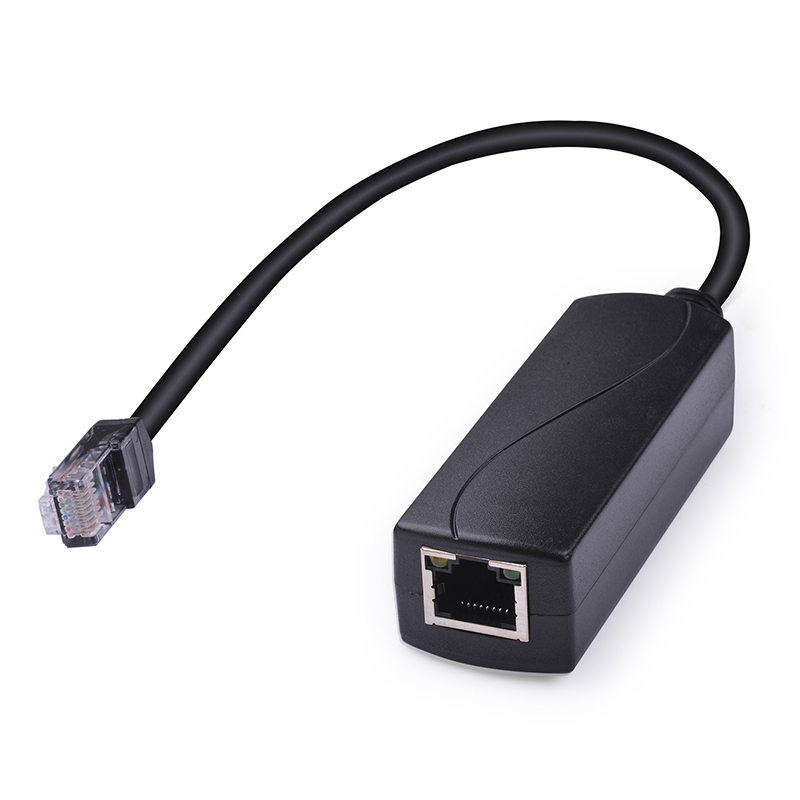
An inline 48V to 24V POE Converter perfectly bridges this interoperability gap. This guide shows network engineers how to accurately calculate power budgets for mixed-voltage networks. We will explore how to account for conversion inefficiencies correctly. You will also learn how to select robust hardware capable of handling demanding enterprise loads without failing.
Standardizing on a centralized 48V PoE switch with edge-based converters eliminates rack clutter and preserves remote power-cycling capabilities.
Total power budgets must account for baseline device demand, converter efficiency loss, and environmental derating (planning for 50-70% of nominal switch capacity).
Transmitting 48V over long cable runs and stepping down to 24V at the endpoint minimizes dangerous voltage drop.
Sub-$10 unisolated converters or DIY buck-converter modifications carry a high risk of equipment failure due to input voltage fluctuations and load drops.
Network engineering teams increasingly move away from fragmented power setups. Obsolete dual-voltage switches are incredibly difficult to source today. Manufacturers have largely abandoned them in favor of standardized active PoE protocols. Finding replacement parts for these older core switches requires navigating expensive secondary markets. Standardizing your core infrastructure around active 48V technology removes this procurement headache entirely.
The limitation of legacy solutions goes beyond mere availability. Standard wall-wart injectors create multiple single points of failure across your facility. They block remote management functions completely. If a remote camera freezes, technicians must physically travel to the site. They have to manually unplug the power cord to reboot the device. This physical intervention wastes valuable labor hours and delays critical system recovery.
You solve this headache by deploying an inline strategy. Using a standard 48V active network alongside a dedicated conversion module acts as a seamless interoperability bridge. This approach brings older devices into modern compliance natively. The converter sits perfectly between the modern switch and the legacy endpoint. It speaks standard active protocols to the switch while delivering passive power to the device.
Operational continuity improves dramatically under this new model. Administrators maintain absolute centralized control over the entire network ecosystem. You can easily utilize your managed switch to remotely reboot legacy endpoints. This eliminates costly, time-consuming truck rolls. Your team saves hours by resolving device freezes directly from the network operations center. You regain the ability to schedule automated power cycles during maintenance windows. This level of control ensures maximum uptime for mission-critical surveillance arrays.
Failing to calculate power correctly leads to disastrous switch overloads. Switches shut down ports defensively when they run out of energy reserves. You need a strict, objective framework to keep your infrastructure stable. Guesswork has no place in enterprise power planning. Follow this three-step methodology to guarantee continuous uptime.
Determine Maximum End-Point Draw: Never rely on average power consumption figures. Devices pull varying amounts of current depending on network traffic or infrared illumination. Always use the maximum power limit designated for the device’s specific PoE Class. For example, standardize on 15.4W for unclassified legacy devices. This establishes a baseline safety buffer during sudden peak load spikes.
Factor in Converter Overhead: DC-DC step-down conversion is never perfectly efficient. Hardware naturally loses some electrical energy as heat during the step-down process. You must add a standard 10-15% margin per port. This calculation covers the thermal and operational power draw of the converter module itself. Ignoring this overhead leads to subtle, cascading port failures.
Apply Environmental Derating: Ambient temperature deeply impacts power supply efficiency. Heat degrades electrical performance rapidly.
Server Room/Mild (0°C - 50°C): Plan for 70% of the manufacturer’s stated power supply maximum. Divide your total calculated load by 0.7 to find the true switch size needed.
Harsh/Outdoor Environments: Plan conservatively for 50-60% of maximum capacity. Heat-induced power supply degradation happens continuously over time. Dividing your load by 0.5 protects your equipment across extreme summer temperatures.
To illustrate these calculations clearly, review the reference table below. It shows how power requirements scale once you apply necessary safety margins for your inline modules.
Device Base Draw (Maximum) | Plus Module Overhead (15%) | Mild Environment Budget (Total / 0.7) | Harsh Environment Budget (Total / 0.5) |
|---|---|---|---|
8.0 Watts (Basic AP) | 9.2 Watts | 13.1 Watts | 18.4 Watts |
12.0 Watts (IP Camera) | 13.8 Watts | 19.7 Watts | 27.6 Watts |
15.4 Watts (Unclassified) | 17.7 Watts | 25.3 Watts | 35.4 Watts |
20.0 Watts (Heavy Radio) | 23.0 Watts | 32.8 Watts | 46.0 Watts |
Physical layer implementation relies heavily on fundamental electrical physics. Network engineers must thoroughly understand how distance negatively affects power delivery. Line resistance is your biggest enemy in long network runs. The longer the copper path, the higher the resistance your current faces.
The high-voltage transmission rule dictates how you handle distance effectively. Pushing 24V natively down a long PoE Cable results in significant voltage drop. Copper resistance eats up the low voltage extremely quickly. By the time the current reaches the end, it might drop below 20V. This starves your endpoint device of necessary power. Starvation causes erratic device reboots, corrupted firmware, or total system failures.
You gain a massive edge-conversion benefit by keeping voltage high across the run. Transmit industry-standard 48V across your long cable paths. Telecom environments often push up to 54V for this exact reason. Higher voltage means lower amperage for the same wattage. Lower amperage directly reduces heat and line loss. You then place the conversion module directly at the network edge. Keep it mere inches from the camera or radio receiver. This configuration minimizes voltage loss entirely. The long cable carries high voltage efficiently, and the short patch cord handles the stepped-down 24V.
Data integrity demands equal attention during this conversion process. Power conversion should never degrade your data stream. You must ensure the selected converter explicitly supports true Gigabit throughput. Poorly shielded models often cause severe cross-talk. They create signal distortion when splitting data from power on all four wire pairs. High-quality modules isolate the internal magnetic transformers. This prevents packet loss and keeps your network latency exceptionally low.
The current market is flooded with varying qualities of power modules. Purchasing the wrong unit introduces severe hardware vulnerabilities into your enterprise network. You must establish strict reliability metrics before making bulk purchases. A cheap module can easily destroy an expensive legacy device.
Active negotiation models heavily outperform passive pass-through units. You should strongly prefer converters utilizing active negotiation chips. They properly handshake with the centralized Power Sourcing Equipment (PSE). This crucial step prevents the switch from blindly sending power down the line. Blind power delivery risks catastrophic electrical shorts if a technician plugs in a standard laptop accidentally. Active handshakes keep your network intrinsically safe.
Input voltage tolerance separates commercial gear from dangerous toys. Standard 802.3af/at signals naturally fluctuate depending on cable length and switch load. Avoid cheap modules rated strictly for a flat "48V" input. You must require an input range of 36-60V. This wide tolerance survives real-world voltage surges. It keeps your cameras online during active network fluctuations.
Isolation ratings provide absolutely necessary shielding. Insist on a minimum 1500V RMS isolation limit. This specification protects your sensitive networking gear from electrical transients. Galvanic isolation literally separates the input and output circuits magnetically. It blocks unexpected grounding issues from traveling back up the cable and destroying your core switch.
Consider the true operational return on quality hardware. Commercial units generally range between $25 and $45 per port. Sub-$10 generic modules or DIY buck-converter kits seem very tempting initially. However, these cheap unisolated units have an exceptionally high first-year failure rate. They lack basic thermal protections and overload safeguards. They become a massive false economy once you factor in replacement labor and system downtime. Spending extra upfront prevents thousands of dollars in emergency repair labor later.
We created a simple comparison chart outlining these hardware tiers to guide your procurement strategy.
Feature Category | Sub-$10 Generic Modules | Enterprise Commercial Modules |
|---|---|---|
Protocol Handshake | Passive (Blind Power) | Active (802.3af/at Compliant) |
Voltage Tolerance | Fixed 48V (Highly fragile) | 36-60V (Handles fluctuations) |
Galvanic Isolation | None (High surge risk) | 1500V RMS Minimum |
Gigabit Data Integrity | Often limits to 10/100Mbps | True Gigabit (Shielded magnetics) |
Failure Rate (Year 1) | Extremely High (Thermal stress) | Very Low (Built for continuous load) |
Deploying power converters across a wide facility requires careful planning. Rushing the installation creates deeply hidden risks. Follow this actionable checklist to ensure a secure, long-lasting deployment.
Pre-deployment testing: Always verify the converter’s output voltage under actual load conditions. Do this before permanent installation. Unregulated converters can suffer from dangerous voltage sags. This usually happens precisely when a camera or access point draws peak current during boot-up sequences.
Thermal considerations: Assess your physical enclosures carefully. When deploying in sealed outdoor junction boxes, you must account for heat accumulation. The DC-DC step-down process naturally produces thermal exhaust. Ensure adequate ventilation. Alternatively, utilize metal heat sinks to dissipate the internal temperature safely.
Port profiling: Reconfigure your software settings prior to plugging in any devices. Ensure the uplink ports on your managed PoE Switch are correctly profiled. They must be set to standard 802.3af/at. This initiates the necessary active handshake with the module automatically.
Clear labeling: Mark the conversion points explicitly on the physical hardware. Technicians must know exactly where the step-down occurs. Label both the switch port and the endpoint termination. This prevents accidental mixing of active and passive hardware during future maintenance cycles.
Modernizing an IT environment does not require abandoning perfectly functional legacy systems. Successfully running legacy 24V equipment on modern networks means moving past makeshift injector setups. You must fully embrace standard 48V infrastructure paired with high-quality edge conversion.
Take the following action steps for your next deployment:
Calculate your derated power budget systematically to prevent unexpected port shutdowns.
Procure isolated, actively negotiated modules to protect your core infrastructure from electrical transients.
Install conversion hardware directly at the network edge to eliminate line resistance drops.
Audit your switch port profiles to guarantee proper communication handshakes.
Investing smartly in these technical best practices represents the most effective way to extend hardware lifecycles. You achieve seamless device integration without risking your broader network stability.
A: No. Active switches require a digital handshake, which a passive 24V device cannot provide. If you plug them in directly, the switch will refuse to deliver power. An active-to-passive converter is mandatory to bridge this gap. It acts as an intelligent translator between the active switch and the passive endpoint.
A: The switch will automatically disable power to lower-priority ports to protect its internal circuitry. This leads to unexpected device drop-offs, intermittent reboots, and potential network routing loops. Calculating a precise power budget with environmental derating prevents this cascading failure scenario entirely.
A: No. Modifying cables with standard buck-converters lacks essential galvanic isolation. They cannot handle 36-60V input ranges reliably and fail to negotiate safely with the switch. This practice introduces severe fire hazards and often leads to catastrophic equipment damage when inevitable voltage spikes occur.


