
5F, W2, Chengxin Building , Tian An Shen Chuang Valley Industrial Center, Fenggang Town, Dongguan City, Guangdong Province,China 523681
Views: 0 Author: Site Editor Publish Time: 2026-10-10 Origin: Site


The shift toward ultra-thin clients, edge devices, and portable hardware has successfully eliminated bulky native Ethernet ports. However, modern network deployments demand high-speed connectivity where basic adapters fall dangerously short. Scaling your infrastructure to 2.5Gbps while simultaneously delivering power requires specialized hardware. Relying on generic drivers or poorly optimized adapters often leads to severe CPU overhead, aggressive thermal throttling, and notorious speed drops. Systems frequently fall back to a mere 1Gbps after waking from a simple system sleep. Furthermore, relying on standard 1G infrastructure is actively creating bottlenecks for data-intensive, high-throughput applications. This article equips IT decision-makers and system integrators with an evidence-based framework. You will learn how to effectively evaluate, deploy, and troubleshoot a 2.5G POE Driver alongside compatible network hardware. We will guide you through optimizing your USB-C ecosystems for sustained peak performance.
Driver Stability Over Peak Speed: A reliable 2.5G POE Driver prevents common link negotiation failures, such as post-sleep speed degradation, which plague generic plug-and-play setups.
Infrastructure Efficiency: Deploying a 2.5G setup offers a superior balance of power and noise reduction compared to repurposing high-draw (>50W), noisy 10G enterprise switches.
Topological Vulnerabilities: Avoiding daisy-chained Thunderbolt hubs and verifying USB-C cable directionality are critical; poor physical topologies can degrade throughput by up to 50%.
Validation requires Hard Data: Sustained performance should be verified using iPerf3 benchmarks targeting 2.32–2.37 Gbits/sec, rather than relying on burst-heavy browser speed tests.
Modern hardware design frequently omits native RJ45 ports entirely. You see this across industrial tablets, retail digital signage, and compact AV-over-IP nodes. High-end handhelds and portable medical devices also lack built-in network interfaces. These edge devices require substantial bandwidth for uncompressed video streaming. They also need reliable power delivery without utilizing bulky external bricks.
Users sometimes face frustrating onboard motherboard NIC defects. Certain silicon revisions of the Intel i225-v chip possess known hardware flaws. These physical defects force users to downgrade their connection manually. They drop to 1Gbps simply to maintain basic link stability. A dedicated USB-C adapter provides a highly effective, immediate bypass. It restores full networking capacity easily without replacing the entire motherboard.
Many IT professionals mistakenly adopt used 10G enterprise equipment. They believe surplus 10G switches offer better future-proofing for edge locations. However, this 10G alternative fallacy ignores critical physical deployment environments. Enterprise 10G setups draw enormous standby power. They often consume over 50W while sitting completely idle. They also generate significant acoustic noise through high-RPM cooling fans. A dedicated 2.5G ecosystem makes much more sense. It drastically cuts power consumption for retail environments. It also maintains a perfectly quiet physical footprint in office spaces.
Upgrading your network edge demands extremely careful component selection. You must decide between deploying a standard Gigabit POE Splitter and pursuing full 2.5G integration. Both devices serve distinctly different infrastructure roles.
Feature Focus | Standard 1G Splitter | 2.5G Integrated System |
|---|---|---|
Primary Application | Legacy IP cameras, basic Wi-Fi 5 APs | AV-over-IP, Edge servers, Wi-Fi 6 APs |
Maximum Bandwidth | 1,000 Mbps | 2,500 Mbps |
Power Delivery | Typically standard PoE (15W) | PoE+ or PoE++ (30W to 90W) |
Thermal Output | Minimal to low heat generation | Moderate heat (requires passive cooling) |
Standard splitters work exceptionally well for legacy 1G access points. They simply strip power from the incoming data line. True high-bandwidth deployments require dedicated 2.5G power and data delivery systems.
Power delivery overhead introduces complex engineering challenges. USB-C PD controllers interact constantly alongside the primary Ethernet chipset. You must ensure the adapter supplies sufficient wattage directly to the host device. It absolutely cannot starve the network interface during heavy traffic loads. Voltage sags cause immediate packet loss.
Integrated power and 2.5G data conversion generate localized heat. Thermal considerations play a massive role in long-term device longevity. Chipset efficiency directly determines sustained operational limits. Realtek architectures often perform differently under thermal load than alternative silicon designs. You must evaluate thermal management strategies before mass deployments. Excessive heat triggers aggressive thermal throttling quickly. It ruins peak transfer speeds and shortens component lifespans.
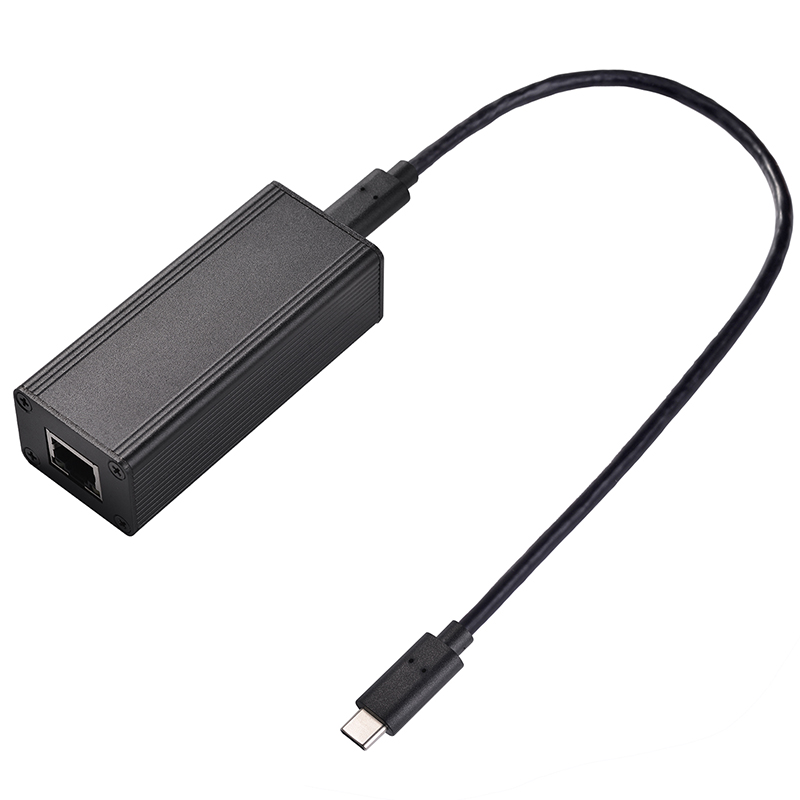
You cannot rely solely on basic plug-and-play marketing claims. Moving beyond these generic terms requires strict OS and firmware alignment. Relying on default Windows 11 drivers often results in sub-optimal network throughput. The operating system utilizes generic driver packages. You need a properly compiled POE Driver to unlock absolute maximum performance.
Custom hardware deployments face unique PHY negotiation challenges constantly. Open-source developer boards utilize specific embedded chips like the MT7988. You must match PHY firmware checksums carefully during initial configuration. Mismatched firmware blobs cause critical "No Link" errors instantly. System administrators frequently spot probe failed warnings inside their system dmesg logs. These errors halt data transmission entirely at the physical layer.
Assessing vendor support remains an absolute necessity for enterprise users. You should verify the manufacturer's historical track record for software updates. They must consistently patch known OS-level interface conflicts. They also need to resolve notorious system sleep-state bugs quickly. Proper driver maintenance ensures long-term deployment stability across varying environments.
The heavily reported "sleep-mode" trap ruins expected network stability. A fast 2.5Gbps connection frequently downgrades permanently to 1Gbps. This drop happens immediately after the host device wakes from a low-power state. Generic operating system protocols fail to renegotiate the faster 2.5G link. Fixing this requires explicit driver-level overrides within the registry. You must disable specific Energy Efficient Ethernet settings within the Windows device manager.
Physical topology choices heavily influence your final throughput speeds. Routing your adapter through a multi-port Thunderbolt hub introduces severe performance penalties. Daisy-chained docks create massive encapsulation overhead on the USB bus. This poor routing method can degrade effective throughput by as much as 50%. Direct host connection remains the optimal physical choice. It guarantees the cleanest, most direct signal path to the CPU.
Cable directionality significantly affects high-speed USB-C data streams. Sub-standard USB-A to USB-C adapters cause hidden bandwidth bottlenecks. Uncertified aftermarket cables sometimes lack complete internal pin connections. Reversible insertion on cheap cables can physically halve your available bandwidth randomly. You must use fully certified, high-quality interconnect cabling. You should strictly avoid missing pin configurations when wiring your edge endpoints.
Validating true 2.5G throughput requires rigorous, localized methodology. Standard internet speed tests are completely insufficient for local network validation. Browser-based tests prioritize short, volatile data bursts over public routing. They cannot measure sustained local infrastructure capacity accurately.
You must rely on strict iPerf3 network log analysis. Setting up dedicated client-to-server iPerf3 testing provides undeniable hard data. Success looks like a flatlined, perfectly sustained throughput curve. You should expect actual speeds consistently between 2.32 Gbits/sec and 2.37 Gbits/sec.
iPerf3 Benchmark Target Chart | ||
Link Speed Setting | Expected Protocol Overhead | Target Sustained Throughput |
|---|---|---|
1.0 Gbps Auto-negotiated | ~6% TCP Overhead | 0.94 Gbits/sec |
2.5 Gbps Forced Full-Duplex | ~5-6% TCP Overhead | 2.32 - 2.37 Gbits/sec |
Underperformance demands immediate and structured diagnostic action. Follow these explicit steps when troubleshooting failed connections:
Force specific speed and duplex settings manually within the adapter properties.
Disable auto-negotiation protocols entirely if the initial hardware link fails.
Cross-test your power delivery modes to isolate potential power starvation.
Compare direct PoE input behavior against isolated external USB DC power.
Rule out potential internal voltage sag on the host motherboard itself.
These diagnostic steps isolate tricky hardware faults quickly. They separate basic physical cable issues from complex underlying power deficiencies.
Base your final purchasing decisions strictly on verifiable driver maturity and robust thermal management.
Demand explicit manufacturer software support for your target operating system to avoid sleep-state dropouts.
Audit your current switch network capabilities immediately to confirm you possess true 2.5G-capable POE+ ports.
Verify your physical cable runs thoroughly, using Cat5e as a strict minimum for short distances.
Standardize on a single, thoroughly vetted adapter combination before initiating any mass enterprise rollout.
A: This is a widely documented driver conflict related to power-saving states (Green Ethernet/Energy Efficient Ethernet). It usually requires disabling power-saving features in the OS device manager or installing a manufacturer-specific 2.5G POE Driver rather than the default OS driver.
A: While it may physically power the device, the data link will bottleneck at 1Gbps due to the splitter's internal transformer limitations. True 2.5G requires an end-to-end 2.5G-rated infrastructure.
A: Yes. Depending on the dock's internal chip topology and competing peripheral traffic, encapsulation overhead can reduce effective throughput significantly. Direct connection to the host USB-C port is recommended for maximum bandwidth.


