
5F, W2, Chengxin Building , Tian An Shen Chuang Valley Industrial Center, Fenggang Town, Dongguan City, Guangdong Province,China 523681
Views: 0 Author: Site Editor Publish Time: 2026-07-22 Origin: Site


Network engineers often face a tough choice when designing infrastructure. You might over-provision edge devices using Gigabit hardware. This approach wastes budget on unnecessary bandwidth. Alternatively, you might under-provision them. This risks serious network bottlenecks. We need a balanced, mathematically sound approach. Consider the specific use case of the 10/100Mbps splitter. This device separates line power into usable data and DC power. Installers use it primarily for non-PoE legacy hardware or low-bandwidth endpoints. Many people assume Gigabit speeds are always necessary everywhere. For core infrastructure, Gigabit absolutely remains the standard. However, a 100Mbps Megabit POE Splitter is completely sufficient for specific edge deployments. Standard IP cameras and IoT sensors operate perfectly on these 100Mbps setups. You only need to ensure your equipment meets standard power protocols. We will explore exactly when and why 100Mbps makes sense for your network.
Bandwidth Reality: 100Mbps (Fast Ethernet) provides ample overhead for standard endpoints; a typical 1080p IP camera uses less than 10Mbps.
Compatibility: A Megabit POE Splitter can safely connect to a Gigabit PoE switch without degrading the rest of the network's speed.
Hardware Physics: Megabit setups utilize 4 pins (two pairs) for data transmission, differing from the 8-pin requirement of Gigabit.
Cost vs. Lifecycle: Deploying 100Mbps splitters reduces immediate deployment costs but should be restricted to devices not slated for high-throughput upgrades.
Understanding network speeds requires looking at the physical cables. The 100BASE-T standard represents Fast Ethernet. This standard requires only two twisted pairs for data transmission. In a standard RJ45 connector, this means it uses just 4 pins. It transmits on pins 1 and 2, while receiving on pins 3 and 6.
Contrast this physical reality against 1000BASE-T. Gigabit Ethernet demands all four twisted pairs. It utilizes all 8 pins inside the cable simultaneously for bidirectional data. When you deploy a 100Mbps setup, the remaining 4 pins sit idle regarding data transfer. This physical difference explains why older setups max out at 100Mbps. They literally lack the wired pathways required for Gigabit speeds.
Power over Ethernet relies on specific IEEE standards. Standardized "Active" PoE adheres to IEEE 802.3af or 802.3at protocols. Active PoE multiplexes power and high-frequency data over the same pins. Data signals travel at very high frequencies, typically between 200-600Mhz. DC power operates at zero frequency. This physical property allows them to coexist safely on the same copper wire.
You must watch out for cheap "Passive PoE" setups. These non-standard devices force power over the spare 4 pins of an Ethernet cable. Since they dedicate those 4 pins entirely to power, the data connection loses access to them. This physically caps any connection at 100Mbps. It limits your speed regardless of the endpoint's capability. Always choose standard Active PoE components to avoid these artificial bottlenecks.
Installers often confuse network accessories. Let us clarify three common devices:
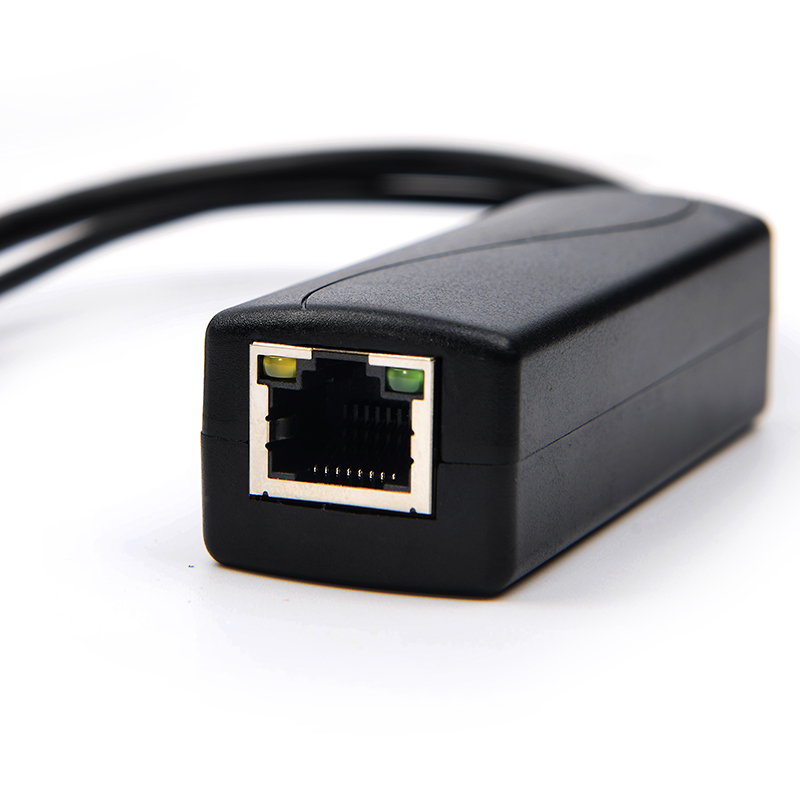
PoE Splitter: This device takes one PoE cable input. It splits the signal into separate data (RJ45) and DC power (barrel plug) outputs. You use it to power non-PoE devices.
Ethernet Splitter: This passive adapter splits one 8-wire cable into two separate 4-wire data connections. It does not handle PoE power correctly. It limits both connections to 100Mbps.
PoE Extender: This unit acts as a powered passthrough switch. It takes a PoE signal, regenerates it, and pushes it further down a new length of cable.
Security cameras rarely need massive bandwidth. We can look at the raw data numbers. A standard 1080p IP camera typically uses between 2Mbps and 5Mbps. Even a basic 4K camera utilizing H.265 compression rarely exceeds 8-15Mbps.
If you use a 100Mbps splitter, the camera consumes a tiny fraction of the available link. You leave approximately 85% bandwidth overhead untouched. The 100Mbps ceiling is essentially a non-issue for single-camera edge deployments.
Modern facilities rely heavily on edge sensors. Biometric scanners, time-clocks, and environmental sensors transmit extremely small payloads. They usually send kilobytes of data per event. A badge swipe or a temperature reading requires almost zero sustained bandwidth. Providing 100Mbps to an RFID door reader is vastly over-provisioned. A Megabit splitter handles this traffic flawlessly.
Voice traffic prioritizes low latency over high bandwidth. Standard voice calls require less than 1Mbps of data throughput. You can comfortably run any legacy non-PoE VoIP phone through a 100Mbps separation device. The voice quality remains crystal clear.
Megabit splitters do have strict limitations. You must identify scenarios where they fail. Do not use them for Wi-Fi 6 Access Points. These wireless arrays push hundreds of megabits of user traffic. High-density server nodes also require Gigabit connections. Multi-sensor high-framerate PTZ camera arrays can sometimes saturate a 100Mbps link. In these specific heavy-load scenarios, you must deploy Gigabit hardware.
Endpoint Device | Average Bandwidth Need | Is 100Mbps Sufficient? |
|---|---|---|
Standard 1080p IP Camera | 2 - 5 Mbps | Yes |
4K IP Camera (H.265) | 8 - 15 Mbps | Yes |
RFID Door Controller | < 0.1 Mbps | Yes |
VoIP Desktop Phone | < 1 Mbps | Yes |
Wi-Fi 6 Access Point | 300 - 900+ Mbps | No (Requires Gigabit) |
Many installers harbor a common fear. They worry about plugging a 100Mbps device into a 1Gbps source. They think this mismatch throttles the entire network switch. This is mathematically and technically false.
Modern network switches feature auto-negotiation protocols. The specific switch port detects the 100Mbps limit of the connected edge device. It automatically negotiates its own speed down to 100Mbps for that single endpoint. Meanwhile, it leaves all other ports running at full Gigabit speed. Your core network performance remains completely unaffected.
Network dynamics change slightly depending on your power source. You might use a Gigabit PoE Injector at the source. If you pair it with a Megabit separator at the destination, the endpoint is capped at 100Mbps.
This mismatch does not cause physical harm to the injector. It incurs absolutely no latency penalty. The system simply falls back to the lowest common denominator for bandwidth. The power delivery remains stable, and the data flows perfectly within the 100Mbps threshold.
You must match power requirements meticulously. The most critical step is verifying your endpoint's required DC voltage. Most legacy endpoints cannot accept raw PoE voltage (48V).
Manufacturers design splitters to output specific voltages. Common outputs include 5V, 7.5V, 9V, and 12V. You must select a model matching your non-PoE device exactly. Providing 12V to a 5V sensor will fry the circuitry instantly. Underpowering a 12V camera using a 5V output guarantees continuous reboot cycles.
Wattage limits dictate system stability. A standard 802.3af PoE Splitter outputs a maximum of roughly 12 to 15.4W. You must calculate the exact draw of your end device.
Ensure the non-PoE endpoint does not require 802.3at (PoE+) levels. Devices demanding up to 25.5W will crash an 802.3af setup. Always check the amperage rating on your camera or sensor. Multiply the volts by the amps to find your required wattage. Never exceed the rated power budget.
Component quality directly impacts data integrity. High-quality active splitters handle power conversion efficiently. They introduce minor latency, usually measured in micro-seconds (µs). This delay is completely negligible for video streaming or network traffic.
However, cheap, unshielded splitters pose severe risks. Poor internal components leak electromagnetic interference (EMI). This EMI bleeds into the data pins. You will experience packet loss or degraded video streams as a result. Always procure shielded, brand-name networking gear.
Real-world rollouts demand practical physical dimensions. Network engineers rarely mount these devices in pristine server racks. They hide them inside cramped time-clock housings. Sometimes they stuff them into small outdoor weatherproof boxes.
Compact physical dimensions become a strict buying criterion. Bulky plastic casings waste valuable installation space. Measure your intended enclosure before purchasing hardware. Ensure the device and its required cable bend radius fit comfortably inside.
Network budgets force hard decisions. You must assess the cost delta between 100Mbps and Gigabit hardware. Imagine outfitting a small retail space. You need to connect 10 legacy IP cameras. The upfront savings on Megabit splitters make excellent business sense here. The cameras will never exceed the 100Mbps ceiling.
Now consider wiring a new corporate facility. You might deploy edge devices expecting upgrades soon. Management might replace standard monitors with high-definition interactive displays. They might install high-throughput APs in 3-5 years. In this scenario, the future labor cost to replace buried splitters completely negates any initial hardware savings. You should install Gigabit hardware from day one for future-proofed zones.
Use this standardized checklist before finalizing your procurement:
What is the max sustained bandwidth of the end device? Evaluate the data sheets. If the device uses less than 50Mbps, a Megabit unit is perfectly safe.
What is the DC voltage and amperage requirement? Check the sticker on the back of your non-PoE device. Match the splitter's output precisely to avoid hardware damage.
Is the environment indoor or outdoor? Factor in weatherproof enclosures. You must account for temperature ratings and physical footprint constraints.
Is the upstream switch compliant? Verify your switch supports standard IEEE 802.3af/at protocols. Avoid pairing active splitters with passive, always-on power injectors.
A 100Mbps separation device is not obsolete technology. It serves as a highly specialized, cost-effective tool. It excels in specific low-bandwidth environments, particularly for legacy hardware or IoT endpoints. You save budget without sacrificing necessary performance. The bandwidth math proves 100Mbps easily handles 4K cameras and access control sensors.
Base your final procurement decision entirely on the endpoint's data ceiling and power requirements. Never over-provision blindly, but never bottleneck a future Wi-Fi upgrade. Ensure you always buy standard IEEE Active splitters. Avoid unreliable passive variants to protect your network integrity and guarantee stable long-term deployments.
A: Yes. The switch will auto-negotiate the specific port down to 100Mbps to match the device. It maintains full Gigabit speeds on all other active ports. Your core network performance remains completely unaffected by this single connection.
A: A PoE Injector adds power to a data line at the network source. A PoE Splitter removes power from the line at the destination. It hands off separate data and DC power cables to run a non-PoE device.
A: No. Standard active PoE splitters process the electrical separation extremely fast. The delay happens in microseconds. This causes zero noticeable delay in your network performance, voice calls, or video streaming.


